Lacaniosa
An online practice for the Lacaniosa community of psychologists. Schedule, patients, session notes, payments and expenses in one place, built for the ten minutes between one patient and the next.
- For
- Lacaniosa, a social media community of psychologists
- Year
- 2026
- Role
- Product, design and development
- Stack
- Ruby on Rails 8, Hotwire, SQLite, Tailwind, RubyLLM, Kamal
In use
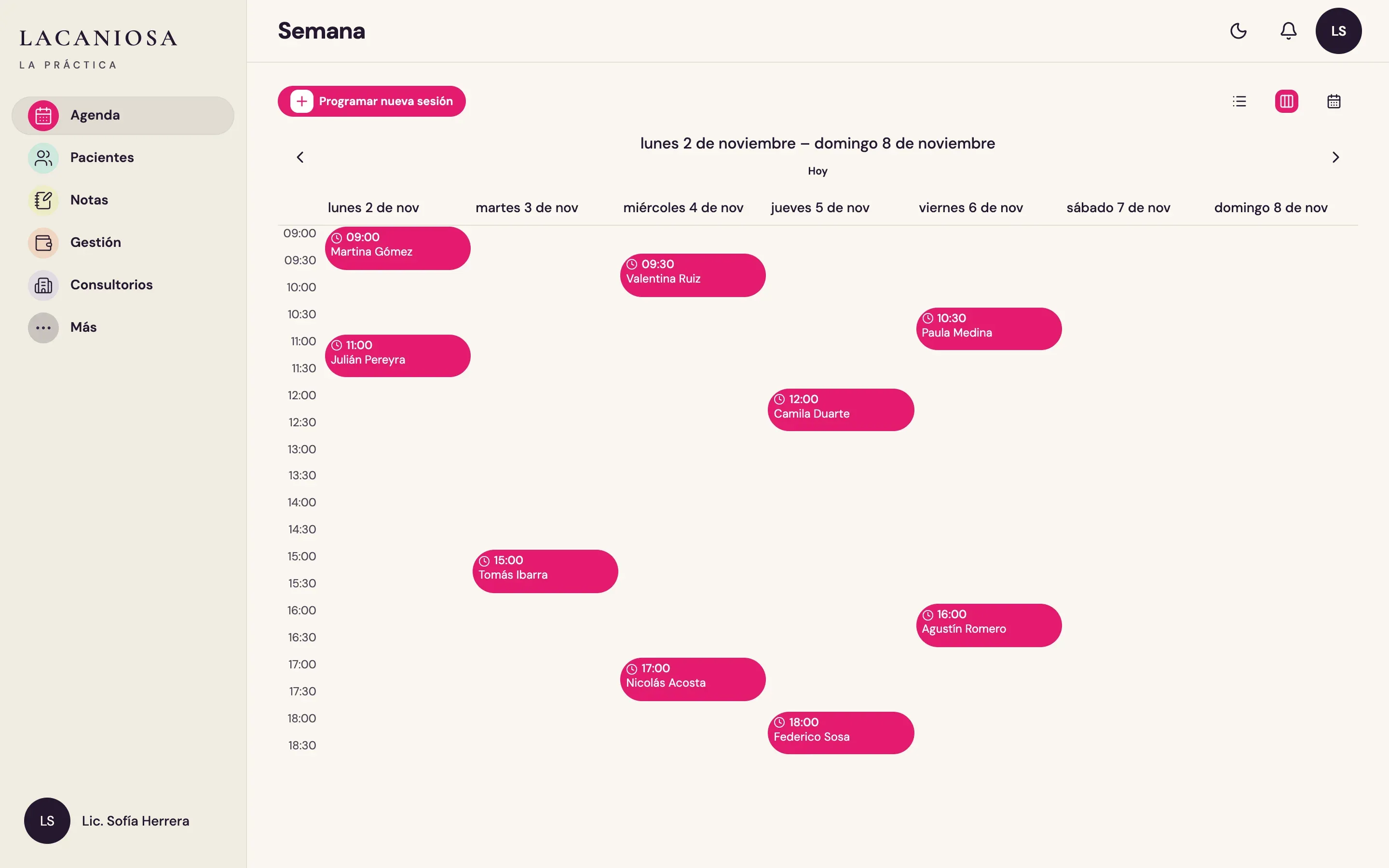
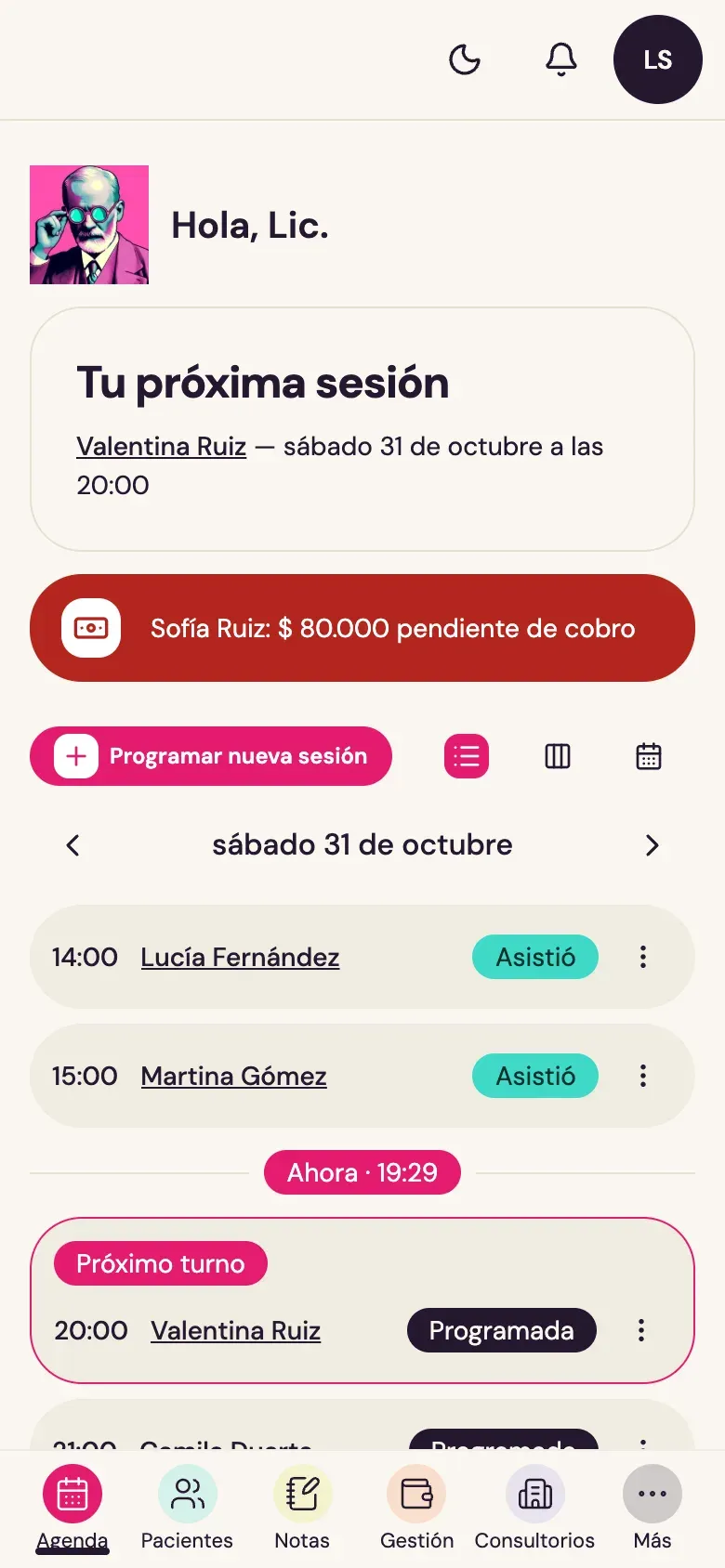
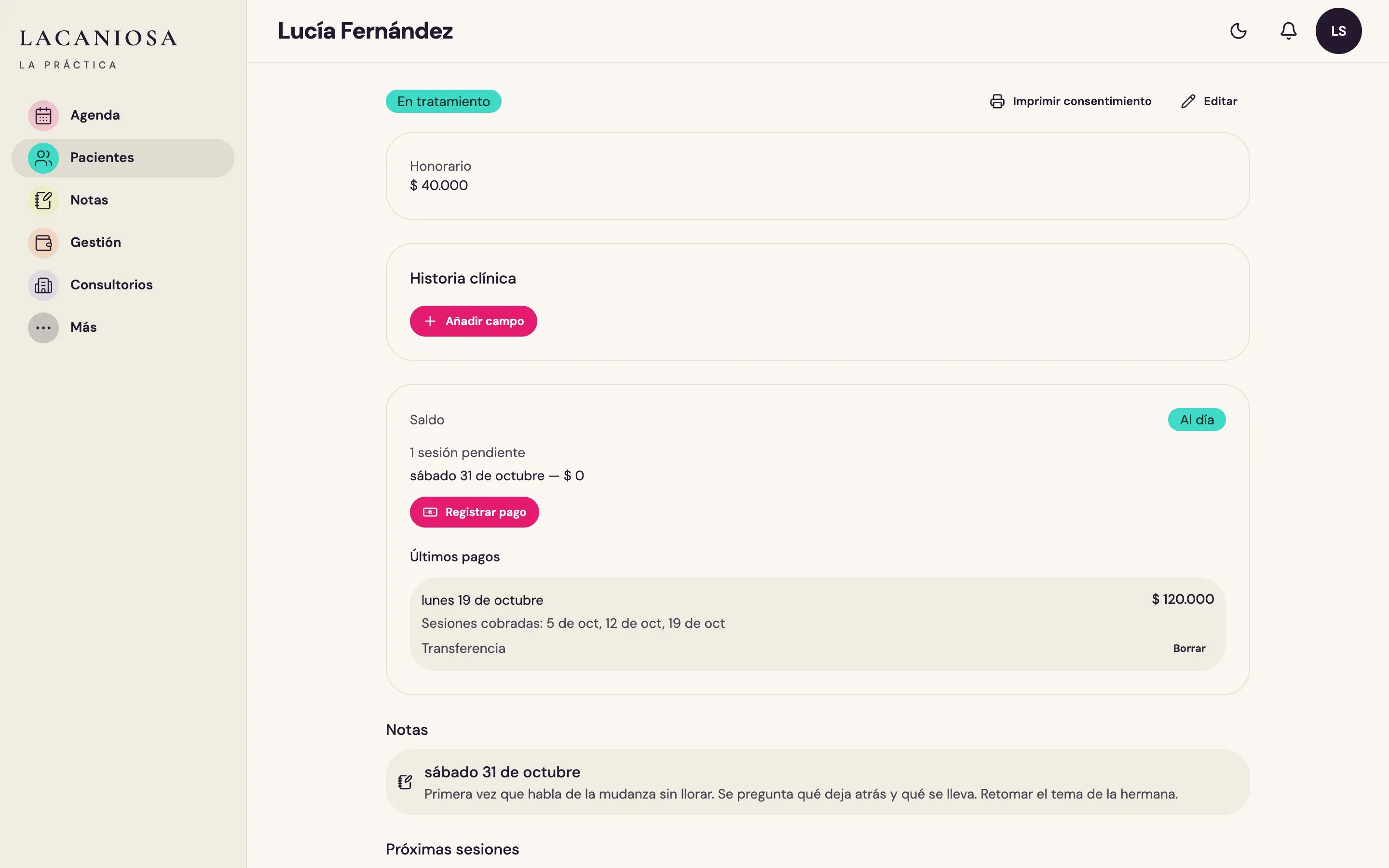
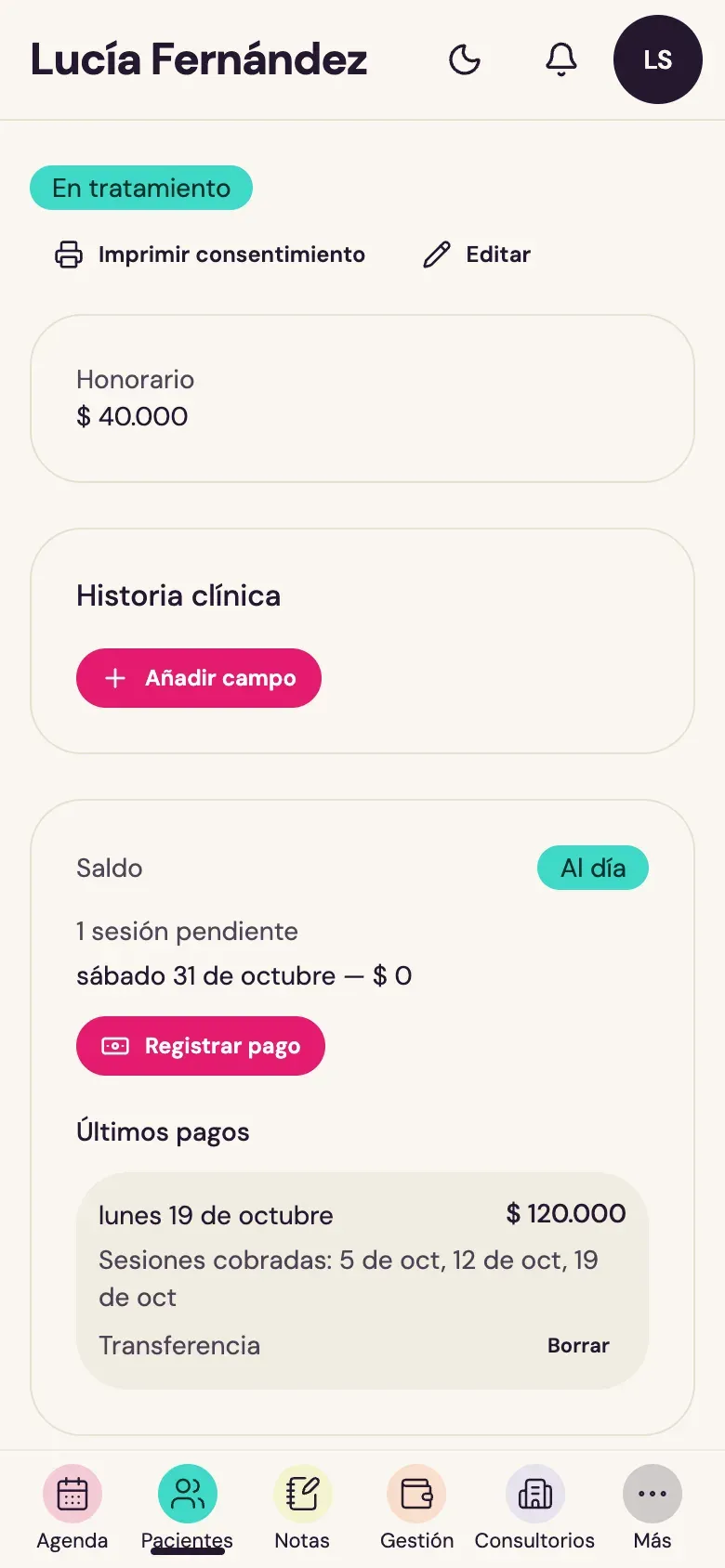
A working day. The schedule, the week, a patient's file, a session note and the month's summary. All patients are test data. The app is in Spanish.
The problem
Lacaniosa is a community of psychologists that started on social media. They wanted to give their members something useful for everyday work, not only content.
A psychologist with a private practice usually has no assistant. Appointments were in a paper diary, notes in a notebook, arrangements with patients on WhatsApp and the accounts in a spreadsheet.
Between one patient and the next there are five or ten minutes. In that time you write down what happened in the session, check who is next or move an appointment, almost always on the phone. The week and the accounts get reviewed later, on a computer.
The notes are also about patients. They have to be stored carefully and must not be on show to anyone.
What we built
An app in Spanish that works the same on a phone and on a computer. On the phone, frequent tasks take one or two taps. On the computer you see the whole week and the month’s balance.
Appointments are created from each patient’s usual schedule. Notes are typed or recorded, and stay with the session. Each patient has a balance, and the month shows income, expenses and debts. There is also a space where colleagues can ask each other for advice.
Notes, transcripts and clinical records are stored encrypted. Only the person who recorded an audio can listen to it. There is a backup every day.
Where it is today
The app is live at lacaniosa.com.
What it does
-
The schedule builds itself
Each patient has a usual day and time, every week or every two weeks. The schedule creates the sessions. The day view shows the next session, a line at the current time and payments still due. The week and month views are for planning. Each patient gets an email reminder the day before.
-
The whole patient on one screen
Contact details, fee, a clinical history with the fields each professional needs, balance, recent payments, notes and sessions. Recording a payment takes one button.
-
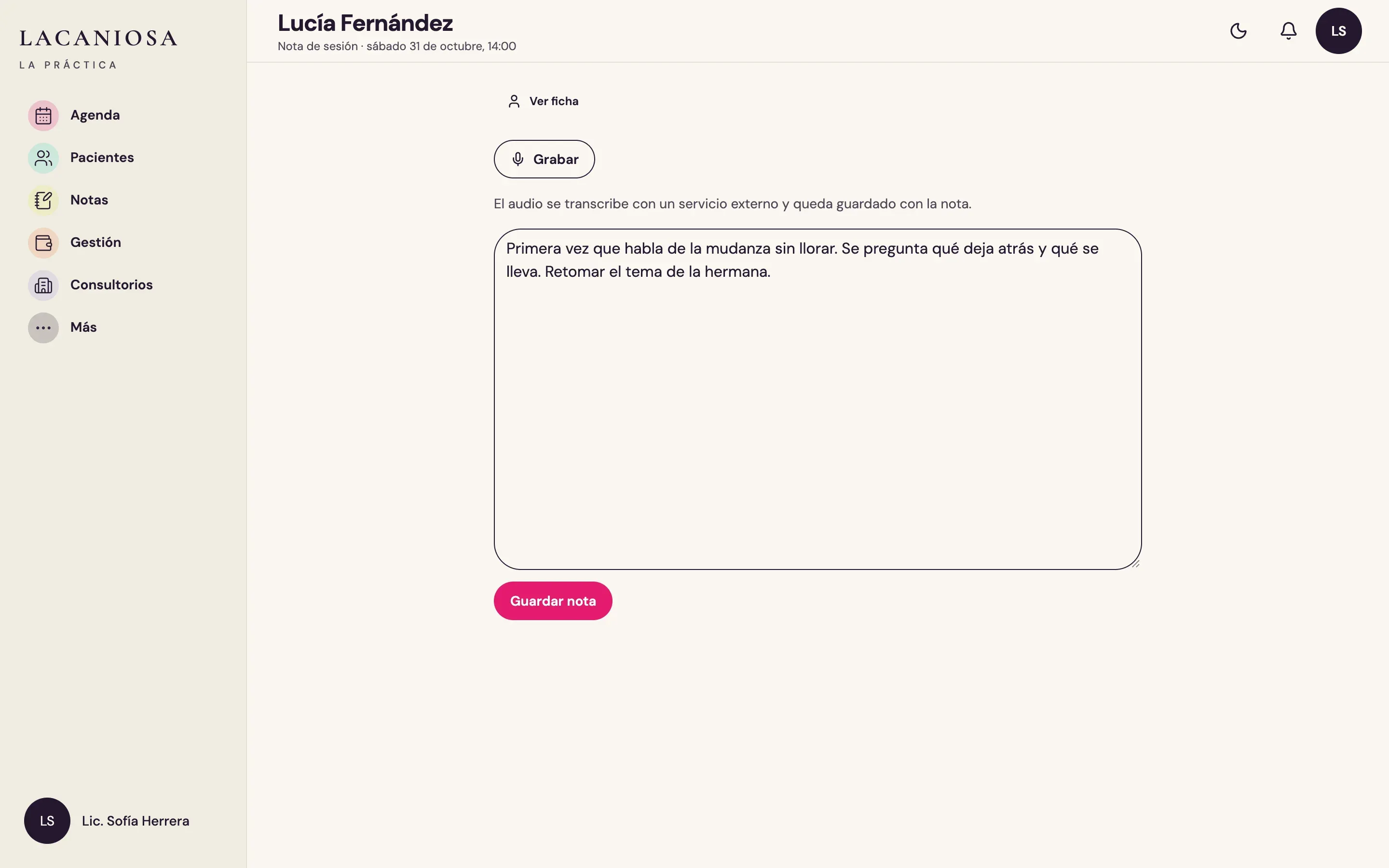
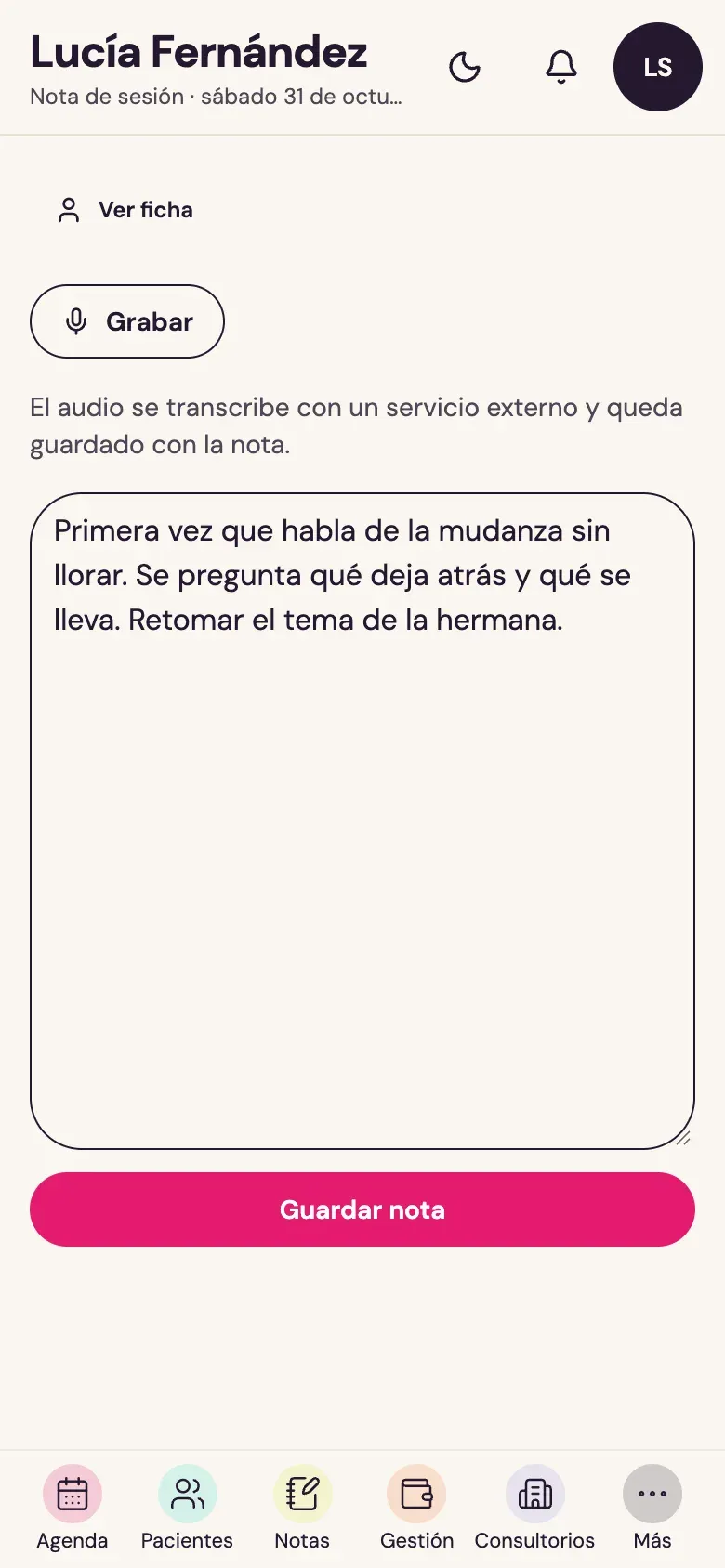
Session notes, typed or spoken
The note opens from the session, right after it ends. Type it, or tap Record and speak. The audio is transcribed and the text is added to the note.
-
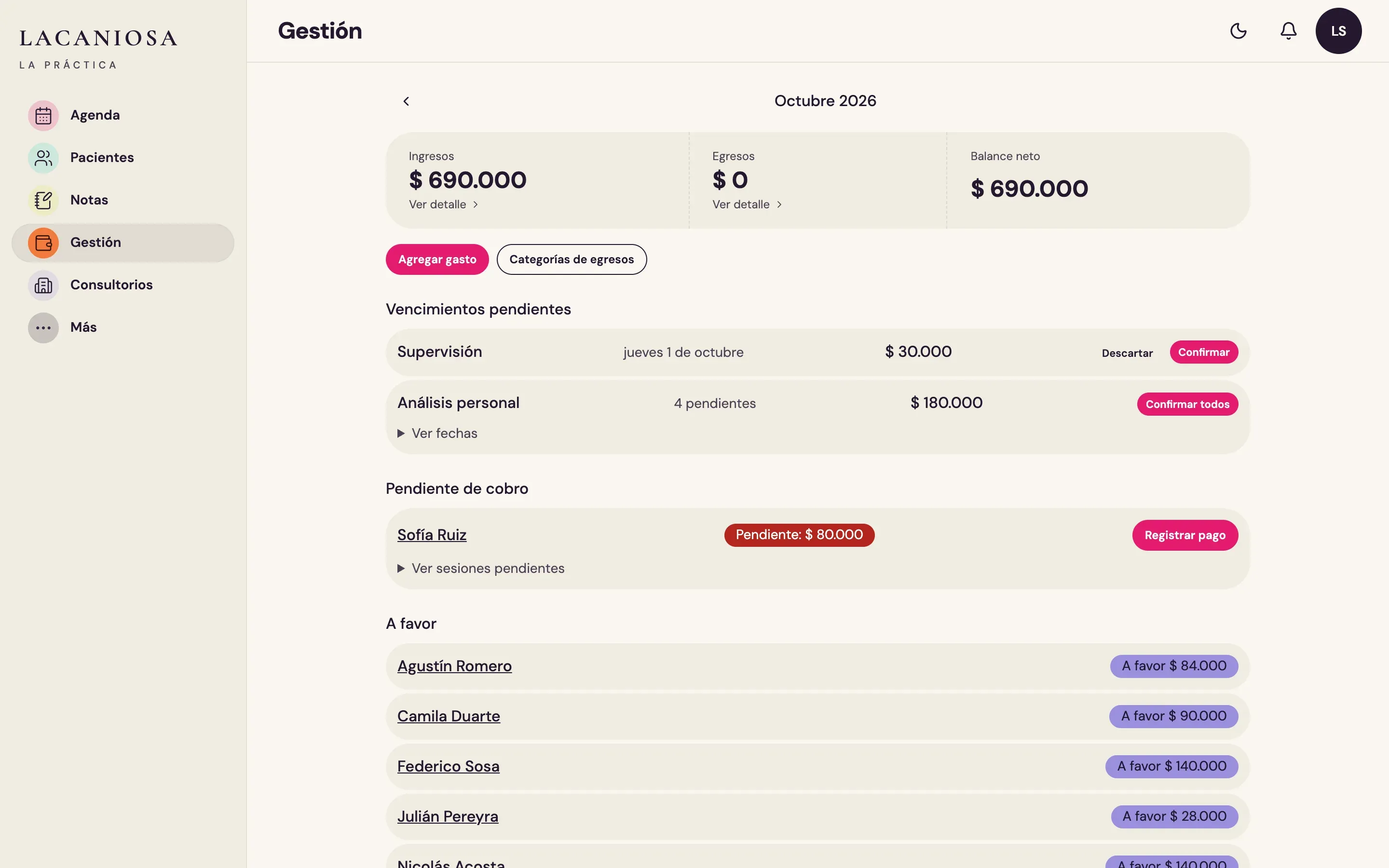
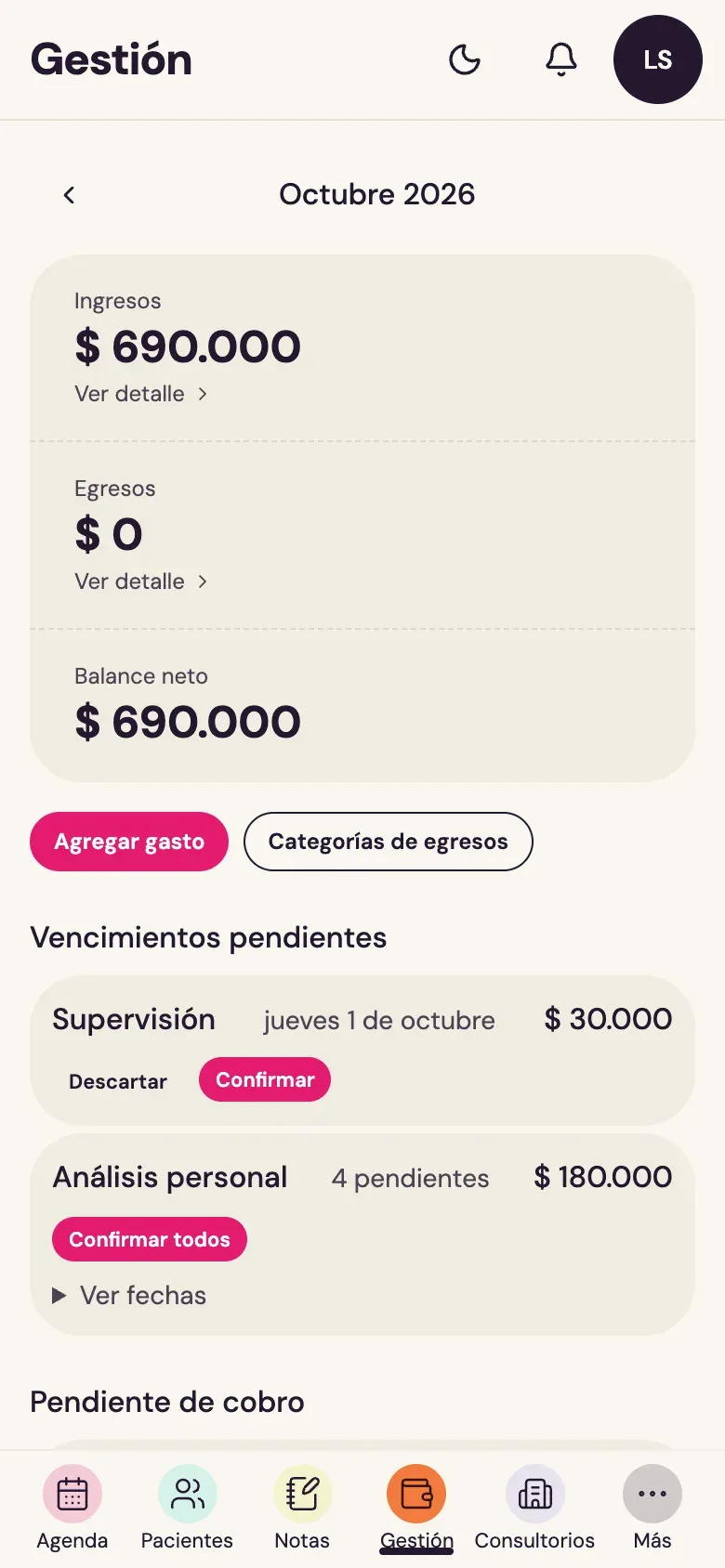
The month's numbers, without a spreadsheet
Income, expenses and the month's balance. Recurring costs, like supervision, show up as due items to confirm. Below are the patients who owe sessions and the ones with credit.
-
A card to share
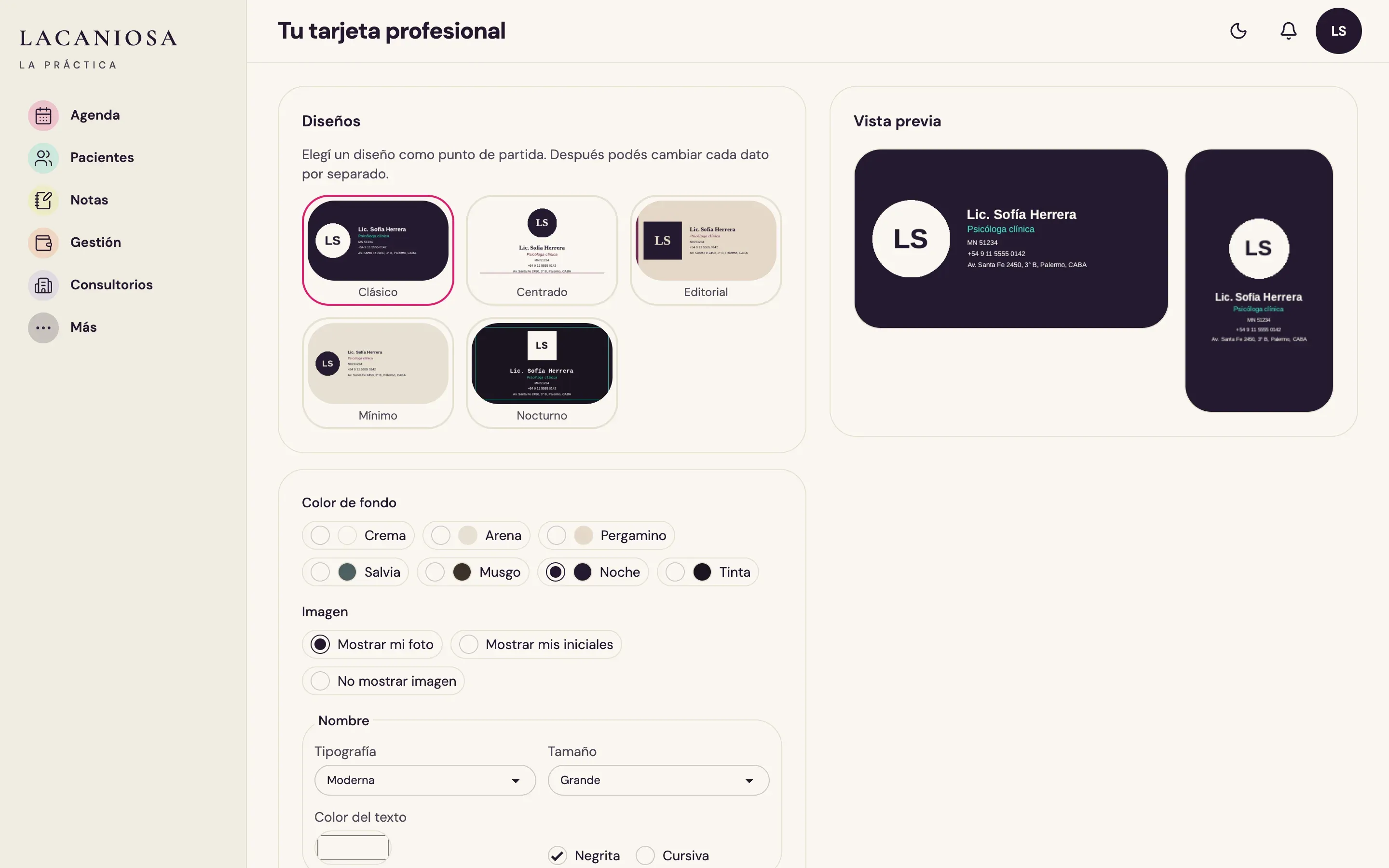
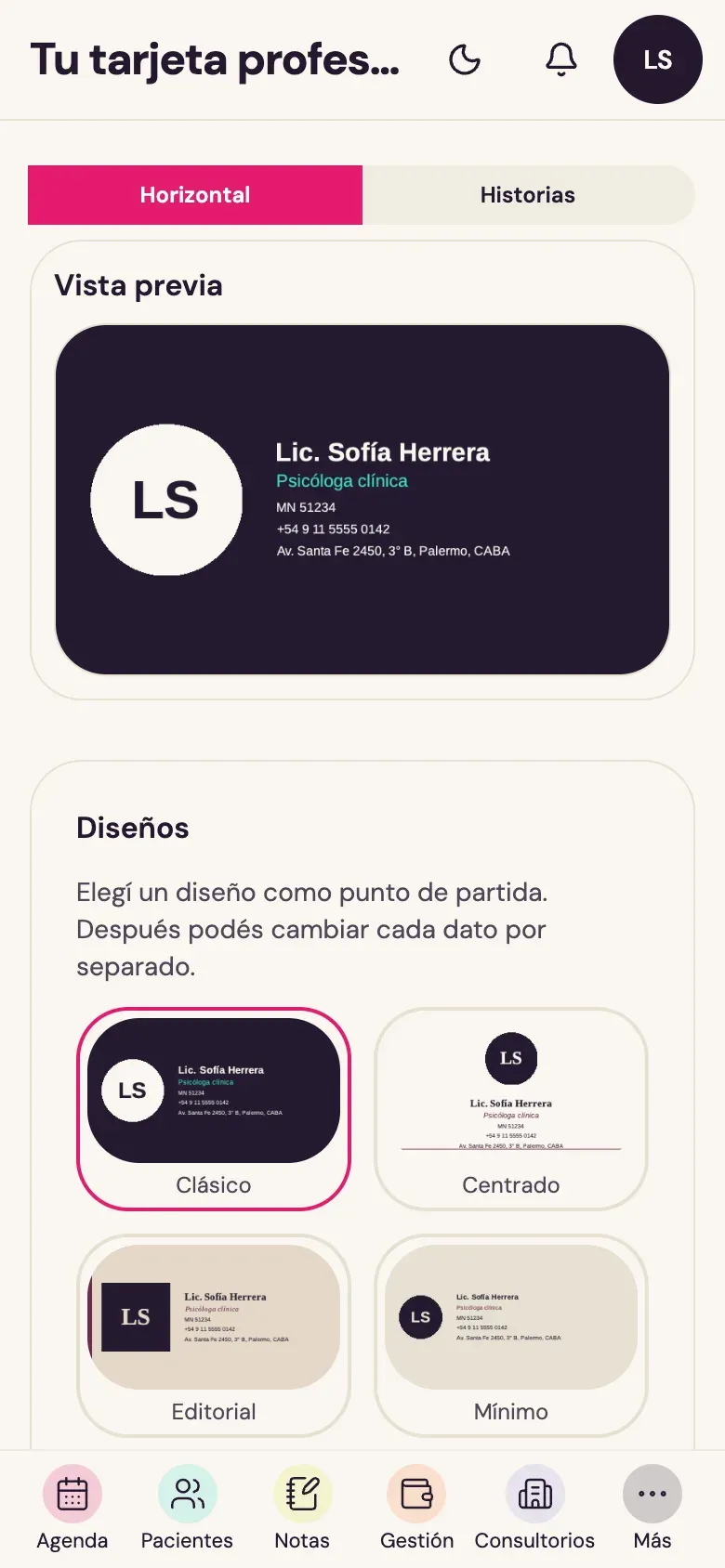
A professional card with name, photo and contact details, in several designs and colours. Share it with a public link or a QR code.
Got an idea? Write to me.
It can be something that is still only in your head, or a business that already works and needs a system. You don't need to have it all worked out, know about technology or have a big budget.
First tell me the idea. Then we'll work out together how to make it real and where to start.
I answer myself.
How working with me goes →